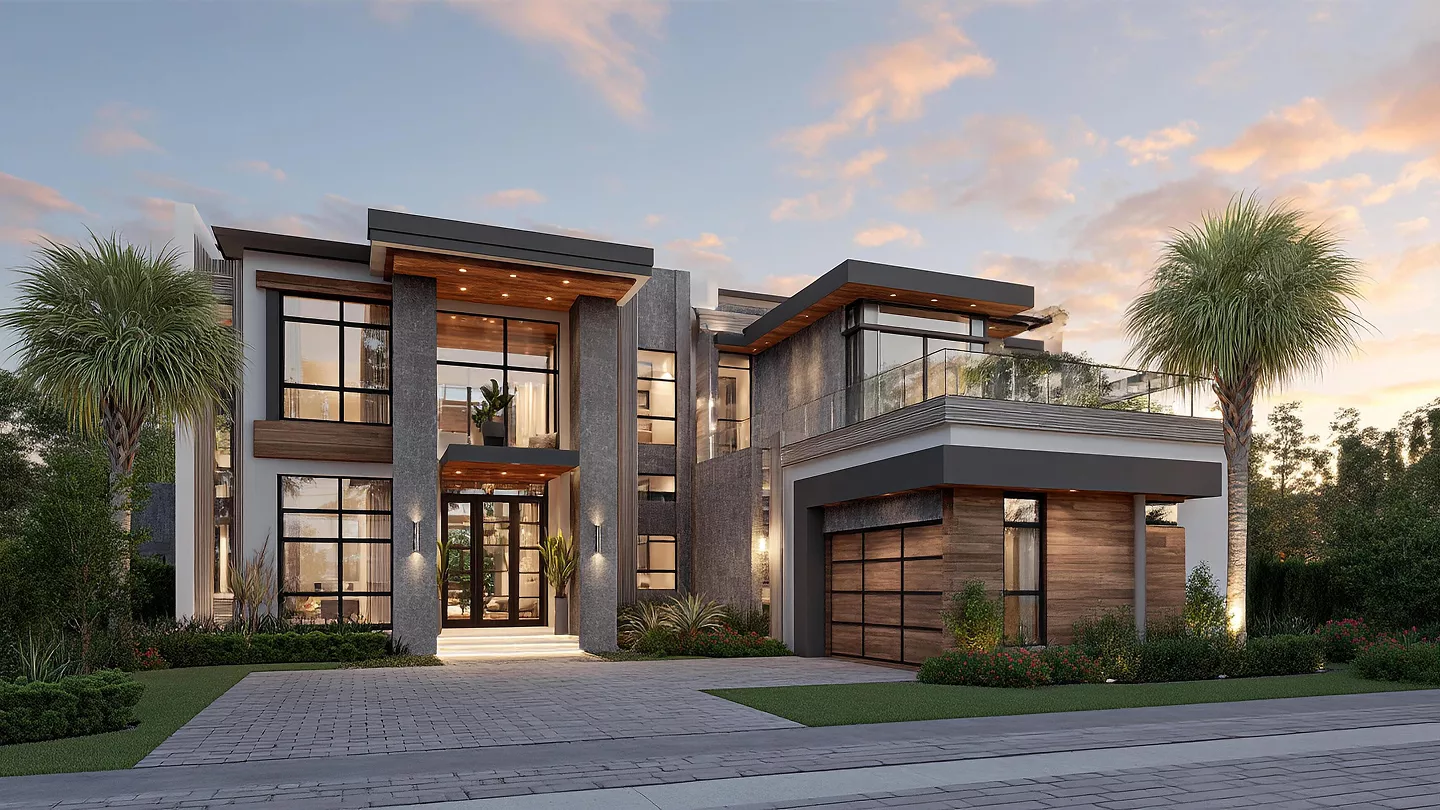
How 3D Architectural Visualization Helps Bring Building Designs to Life
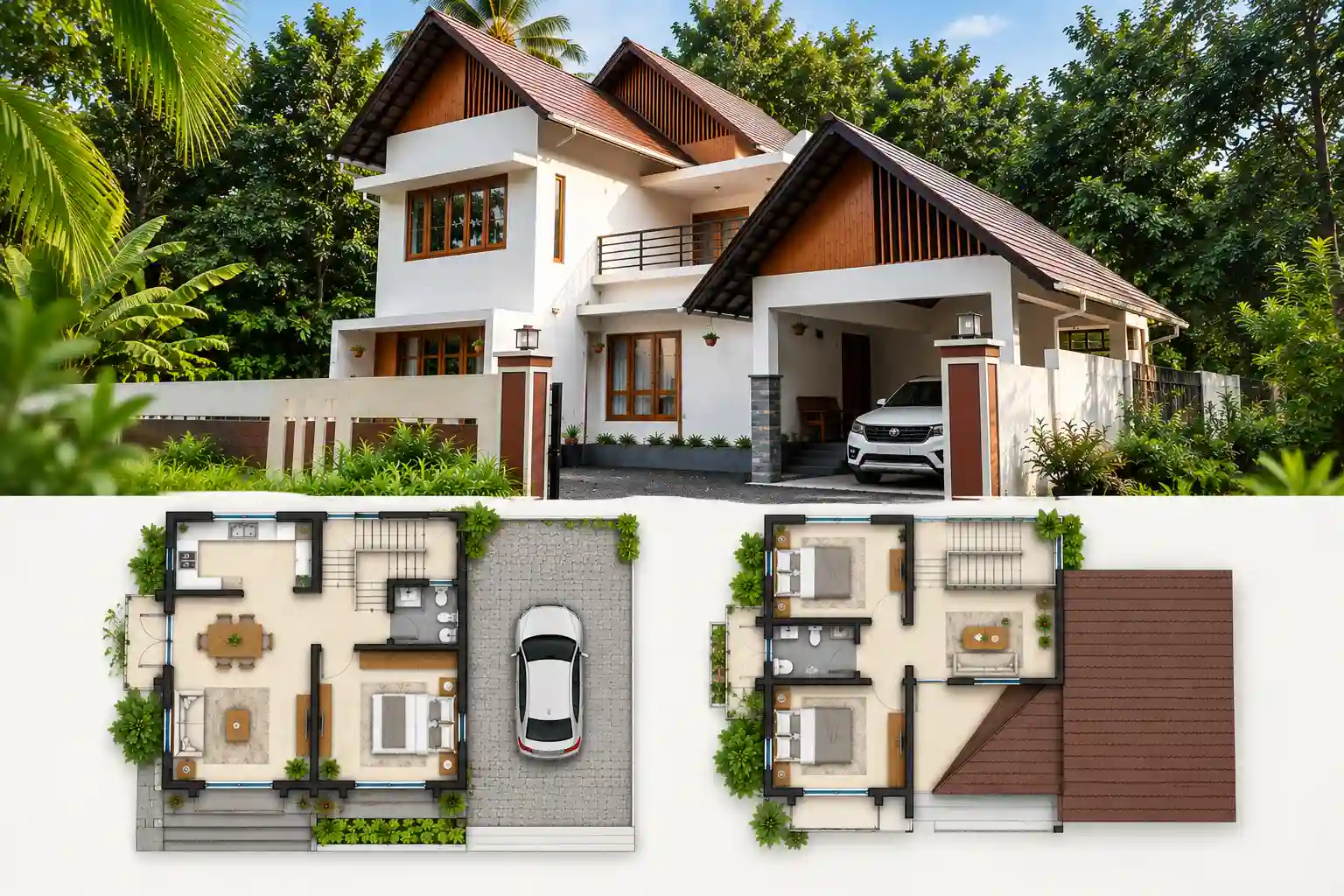
For most people,a building feels real only after you can step inside it. With a floor plan on paper, you still have to guess. How tall are the ceilings? Will the light hit the rooms the same way every day? What will the balcony view look like? Most clients can’t do that reliably – and that gap between the drawing and the lived space is where projects go wrong, budgets get revised, and trust erodes.
This is the problem 3D architectural visualization was built to solve. It’s not a design add-on anymore; it’s become the standard way architecture firms communicate a project before construction begins. At G Factree, where architects and structural engineers work side by side on every project, visualization isn’t treated as a marketing render tacked on at the end – it’s part of how a design gets tested, refined, and approved.
This is how the work usually goes, starting with a rough sketch and ending with a design that gets signed off. Have a plot and a brief? Start your project with our Architectural Designers in Kochi team.
What “3D architectural visualization” means
3D architectural visualization is taking architectural drawings like plans, elevations, and sections and turning them into a 3D digital model. That model can then be rendered, given lighting, mapped with textures, and viewed as if you are walking through it.
It also connects two areas. One side is the design itself. The other side is the digital visualization tools that make the model look real.
The output isn’t just a pretty picture. Done properly, it’s a decision-making tool. It shows a client and an engineer the same building, from the same angle, before a foundation is poured. That shared reference point is what makes architectural visualization services valuable – everyone involved in a project is reacting to the same object, not to their own private interpretation of a 2D drawing.
Step 1: Concept - Where Every Visualization Begins
Before any 3D work starts, there’s a concept. This stage is about the site, the client’s brief, the budget, and the structural realities of the plot – not about software.
At this point, the architect and structural engineer are already working together, because a concept that looks good on paper but can’t be engineered efficiently ends up costing the client more later. This is where G Factree’s “Engineered Design” approach comes in: design intent and structural feasibility are checked against each other from day one, not after the drawings are finalized.
Only once the concept is settled – layout, orientation, massing, material direction – does the project move into 3D.
Have a plot and a brief? Start your project with our Architectural Designers in Kochi team.
Step 2: Building the 3D Model
This is where the design leaves paper and becomes geometry. Using the finalized plans, the architectural design team builds an accurate 3D model of the structure – walls, floors, roof lines, openings, and structural elements, all placed exactly as they’ll be built.
At this stage, the model is still a working file, not a finished visual. But it already does something a 2D plan can’t: it exposes problems. A window that looked fine on a section drawing might sit awkwardly against a neighboring wall in 3D. A stair that worked on paper might feel cramped once it has real proportions. Catching this now, before rendering or construction, is one of the quiet advantages of 3D architectural visualization – it surfaces design issues while they’re still cheap to fix.
Step 3: Realistic Rendering
Once the model is locked, it goes through 3D architectural rendering – the stage where materials, lighting, textures, and context get added. Wood grain, stone finish, glass reflections, natural daylight at different times of day, landscaping, even the sky and shadows – all of it gets simulated.
This is usually the stage people mean when they say “3D rendering,” but it only works because of the accurate model built in Step 2. A rendering is only as reliable as the geometry underneath it.
At G Factree, this stage is done using Lumion, a rendering engine built specifically for architecture, which allows the team to produce photorealistic exterior and interior views quickly enough to iterate with the client rather than present one final image and hope it lands.
A few things good architectural rendering should show clearly:
- How natural light enters the space at different times of day
- How materials and finishes actually look together, not just in isolation
- The real scale of rooms, ceilings, and openings
- How the building sits against its surroundings – the street, the plot, neighboring structures
- Interior flow – how one room leads into the next
Step 4: The Walkthrough
A static render answers “what does this look like from one angle?” A walkthrough answers a more useful question: “what does it feel like to be inside this building?”
Walkthroughs move the client through the design – entering the gate, walking up to the door, moving room to room, looking out from each window. This is where scale becomes obvious in a way no still image communicates. A living room that reads as spacious in a rendered photo can suddenly feel tight once you’re “standing” in it during a walkthrough, and that’s valuable information before construction – not after.
For commercial and residential projects alike, this step is often what turns a client from cautiously interested into confident and ready to proceed.
Step 5: Client Feedback - Where the Design Actually Gets Better
This is the point where visualization shifts from selling to shaping the design.
After the client views the render and moves through the model, the comments tend to be clear and tied to real spaces. You hear things like, “the kitchen feels boxed in,” “the hallway needs more light,” or “can the balcony turn around to face the other way.” On a flat 2D plan, feedback is often softer and less sure. Many people do not read architectural drawings with ease, so they miss details or guess at what they are seeing.
Since the 3D model is already built, edits can happen fast. You can change the scene, re-render it, and show it again right away, with no need to touch any physical brickwork. That cycle is the main value of 3D architectural visualization. It lets a design be refined on screen, again and again, at low cost, rather than trying to fix things on site later, with higher costs and fewer chances.
Step 6: The Final Design
Once the client, architect, and structural engineer are aligned on the visualized design, it’s locked as the final design – the version that construction drawings, structural detailing, and project execution are based on.
This is the payoff that matters. When construction begins, there is less room for surprises. The client has already walked through their home or building in a virtual way, seen it from multiple views, and signed off on the updates while everything was still a digital change. The structural engineer has already confirmed the design is buildable as shown. Construction becomes execution of an approved plan, not a series of on-site negotiations.
Why This Process Matters More Than the Software
It’s tempting to think 3D architectural visualization is about the rendering engine – and the software does matter. But the real value is in the sequence: concept, model, render, walkthrough, feedback, final design. Skip a step, and problems that should’ve been caught on screen show up on site instead, usually at a higher cost.
This is also why architectural visualization services work best when they’re built into a firm’s process from the start, rather than commissioned separately after the drawings are done. When the same team that designed the structure also controls the visualization, the render reflects what will actually be built – not an idealized version of it.
Bringing Design and Engineering Together
A building that looks convincing in a render but wasn’t checked against structural reality is a liability waiting to surface later. That’s the reason G Factree pairs every visualization step with structural engineering input from the same team – so what a client sees on screen is what an engineer has already confirmed can be built.
For anyone evaluating Architectural Designers in Kochi, this is the question worth asking: does the firm show you a finished design, or do they walk you through how that design was tested, reviewed, and refined before it reached you?
3D Architectural Visualization Services at G Factree
If this process sounds like the kind of clarity you want on your own project, that’s exactly what G Factree offers in Kochi. The firm’s visualization work isn’t outsourced or bolted on after the drawings are done – it sits inside the same team that handles the design and structural engineering, which is why the renders and walkthroughs a client sees are checked against buildability from the start, not after the fact.
For any homeowner or business owner comparing Architectural Designers in Kochi, the visualization stage is a good filter. A firm that can show you a full sequence – concept sketch, 3D model, rendered views, and a walkthrough – is giving you a way to catch problems before they’re expensive to fix. G Factree structures its 3D architectural visualization around exactly that sequence, using Lumion to produce photorealistic exteriors and interiors that hold up once a client is moving through the space rather than just looking at a still image.
Because the same team building the model is also running the structural checks, feedback from a walkthrough – a kitchen that feels boxed in, a balcony that should face the other way – can be tested for buildability and revised on screen, without waiting on a separate engineering review. That’s the version of 3D architectural visualization G Factree runs on every project: not a marketing render, but a working tool the client, architect, and structural engineer all use to sign off on the same design.
Ready to walk through your own design before it’s built?
Conclusion
A building should not feel like a shock. Early sketch, then a 3D concept. Next come the clean renders and a full walkthrough. This is what 3D architectural visualization does. It helps narrow the gap between an idea on paper and the final built work. Clients get a real look early, so they can raise concerns and make changes. That is done before construction starts and everything becomes hard to shift. If you are working on a home or a business job, ask to watch the full process. Do not stop at one final picture. The extra clarity before the first build step is more valuable than the render alone.
FAQ
1. What is 3D architectural visualization used for?
It takes architectural plans and turns them into a realistic 3D model and render. This lets clients view the design, review it, and sign off before construction begins.
2. How is 3D architectural rendering different from a 3D model?
A 3D model is the core building form. It includes the walls, floors, and other structural parts. Rendering goes further. It adds materials, lighting, textures, and surroundings to make a photo like image.
3. Do architectural visualization services only cover exteriors?
No. Many full service packages include outside views and also inside renders. Walkthroughs are often included too. That way clients can judge how it looks and how it feels in motion.
4. How does client feedback fit into the process?
After a client reviews the model or walkthrough, they can share detailed notes. They might comment on the layout, lighting, or material choices. Those changes can be made in the 3D model before the final version is set.
5. Why does structural engineering matter in architectural visualization?
A visual may look right, but if it cannot work in real life, it can lead to issues later. When architects and structural engineers coordinate, the design stays both clear and buildable.